
Unit photo reports, made EZ.
Pick the report. Take the photos. Print. EZ² Inspect stamps every photo with the tenant, unit, date and time, and turns them into a clean PDF report before you leave the unit.
- Move In
- Move Out
- Turn
- Eviction
- Inspections
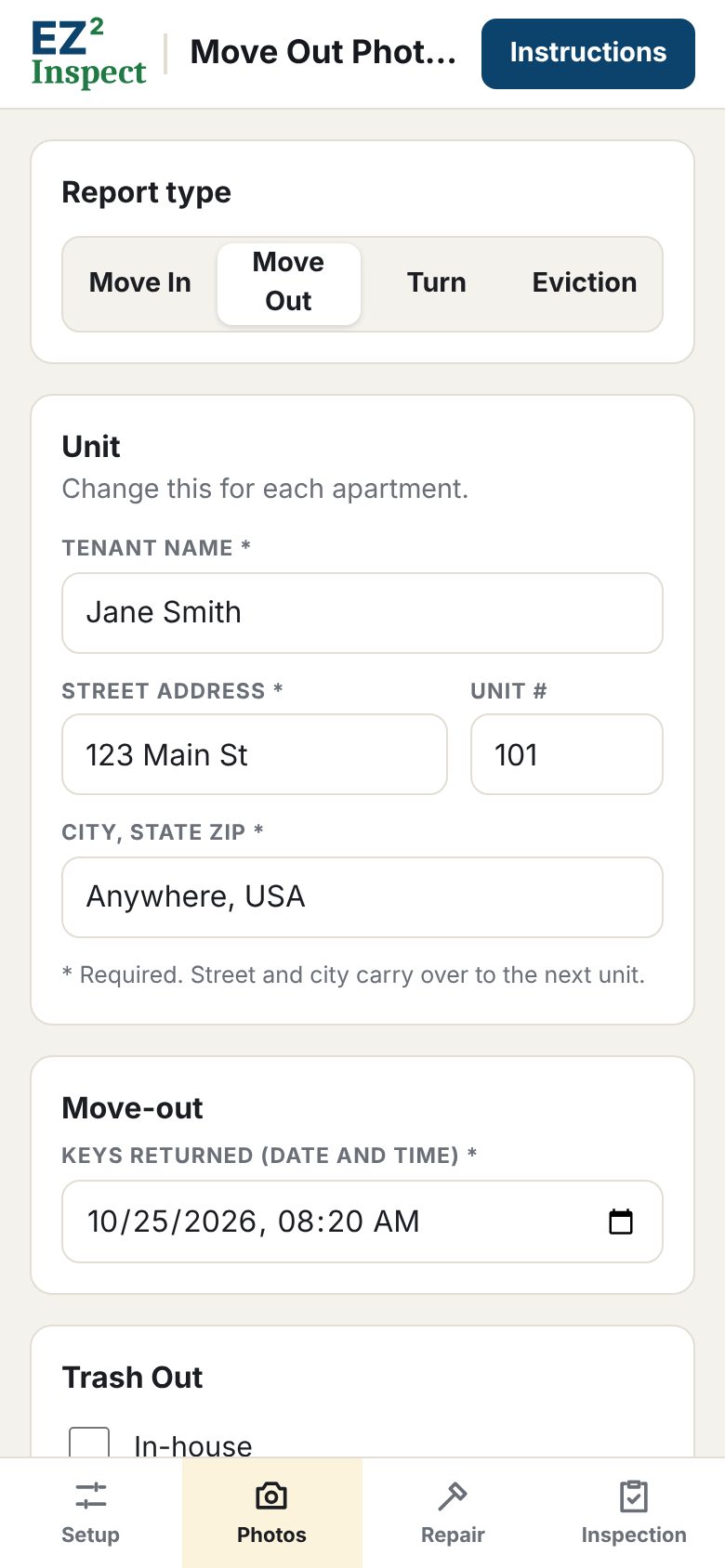
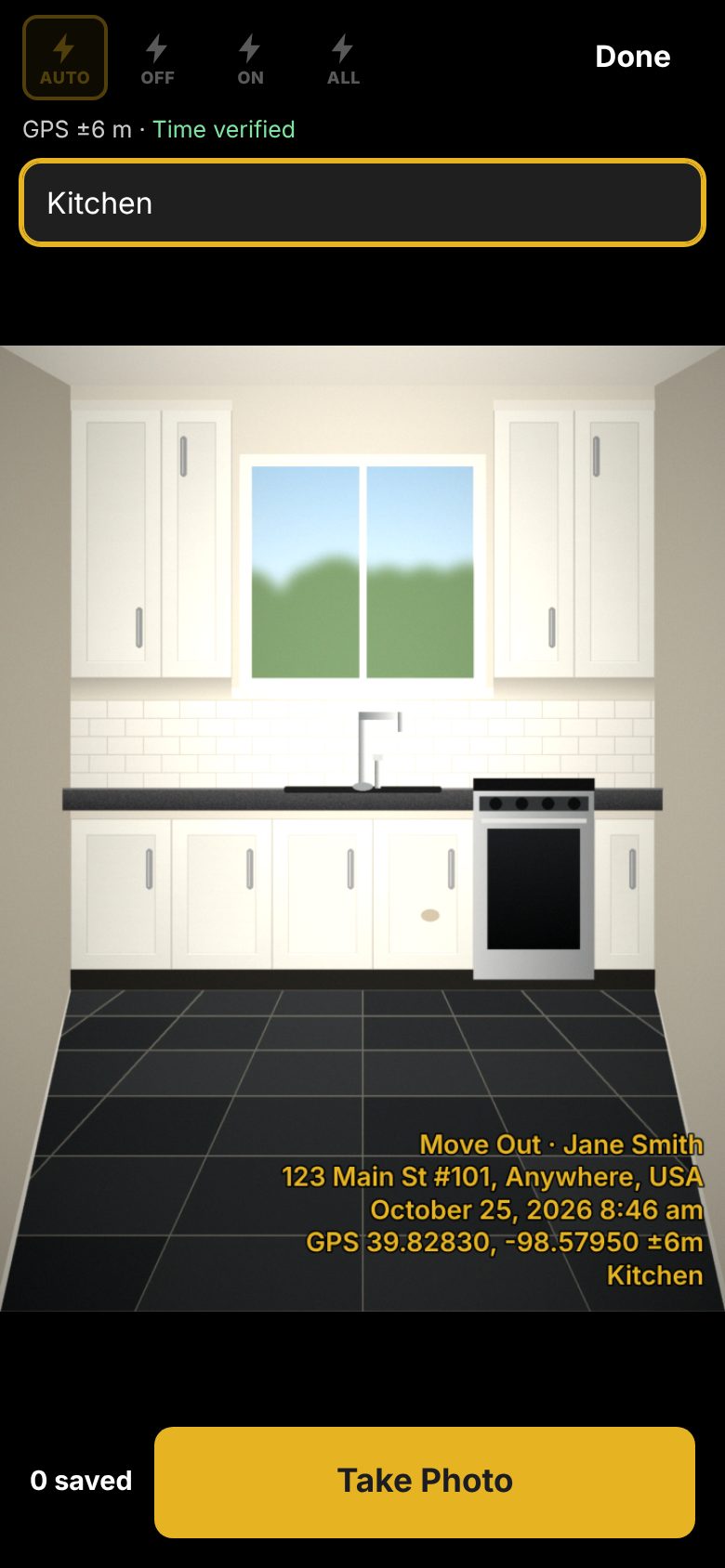
Three steps. That’s the whole app.
No training, no setup project. If you can take a picture with your phone, you can use EZ² Inspect.
Pick the report
Tap Move In, Move Out, Turn or Eviction and type the tenant and unit number. The street and city carry over from the last unit.
Take the photos
Every photo is stamped with the report type, tenant, address, date and time. Type a room name and it goes on the stamp too.
Print the report
Tap Create Report for a clean PDF with a cover sheet. Print it, email it, or save it to the tenant file. Then start the next unit.
Every report you need
The four photo reports and a full unit inspection, built around the way apartment communities actually work.
Move In
Record the unit’s condition at the start of the tenancy, room by room, with every photo stamped.
Move Out
Enter when the keys came back. The cover sheet shows that time, when the photos were taken, and any trash out.
Turn
Document the unit between tenants while cleaning and make-ready work is under way.
Eviction
Record the sheriff lockout time and whether property was left behind. The app shows the date to store it until.
A report that speaks for itself
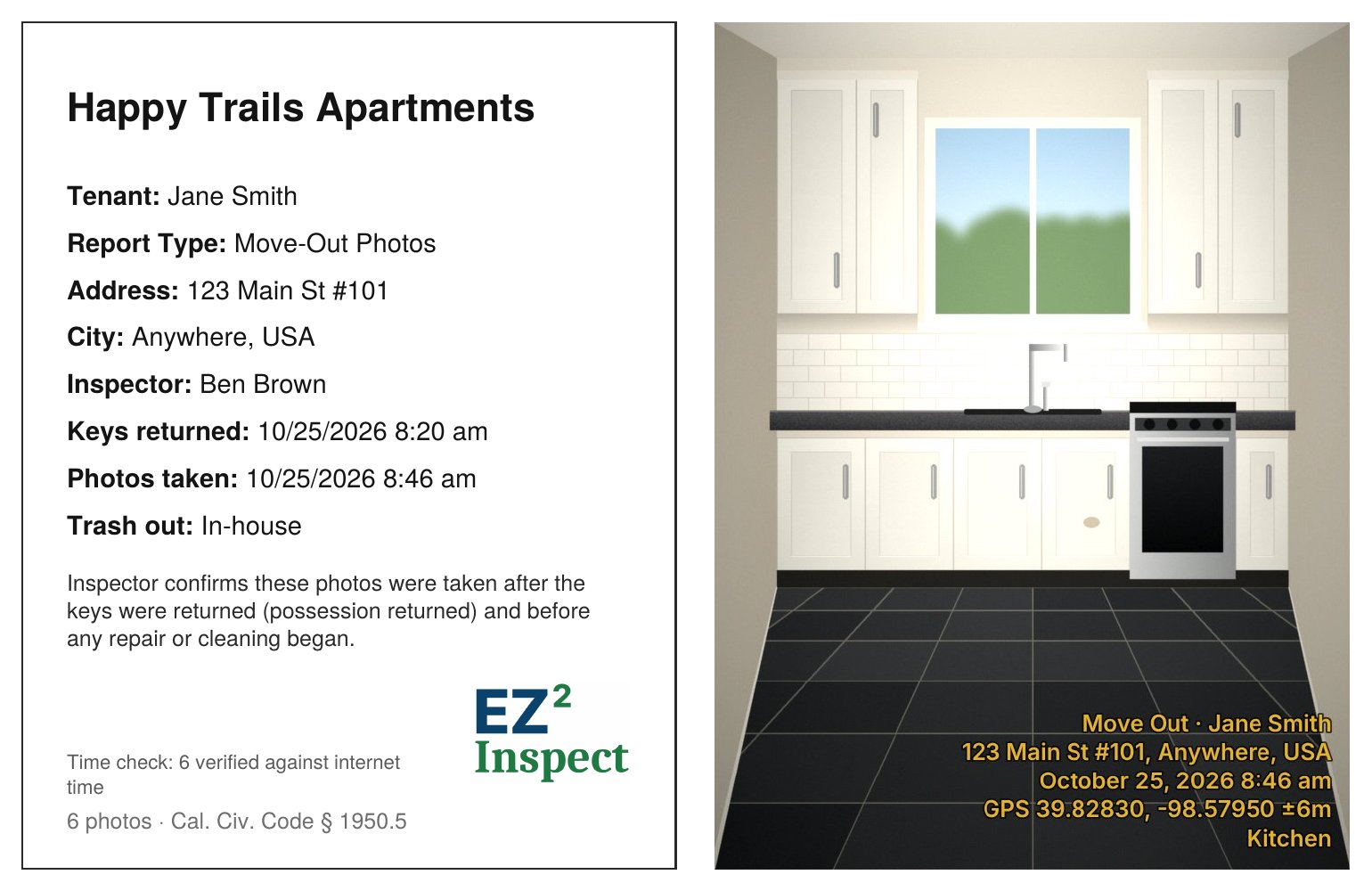
Every report starts with a cover sheet your office, your attorney or a judge can read at a glance.
- Move Out and Eviction timing. When possession came back and when the photos were taken, with the inspector’s confirmation that they came before any repair or cleaning.
- Time check. The phone’s clock is checked against internet time, and photos taken with a wrong clock are flagged.
- Optional GPS coordinates on every stamp. Works without signal.
- Never lose a report. You can’t start the next unit until the report has been saved or printed.
Inspections without the clipboard
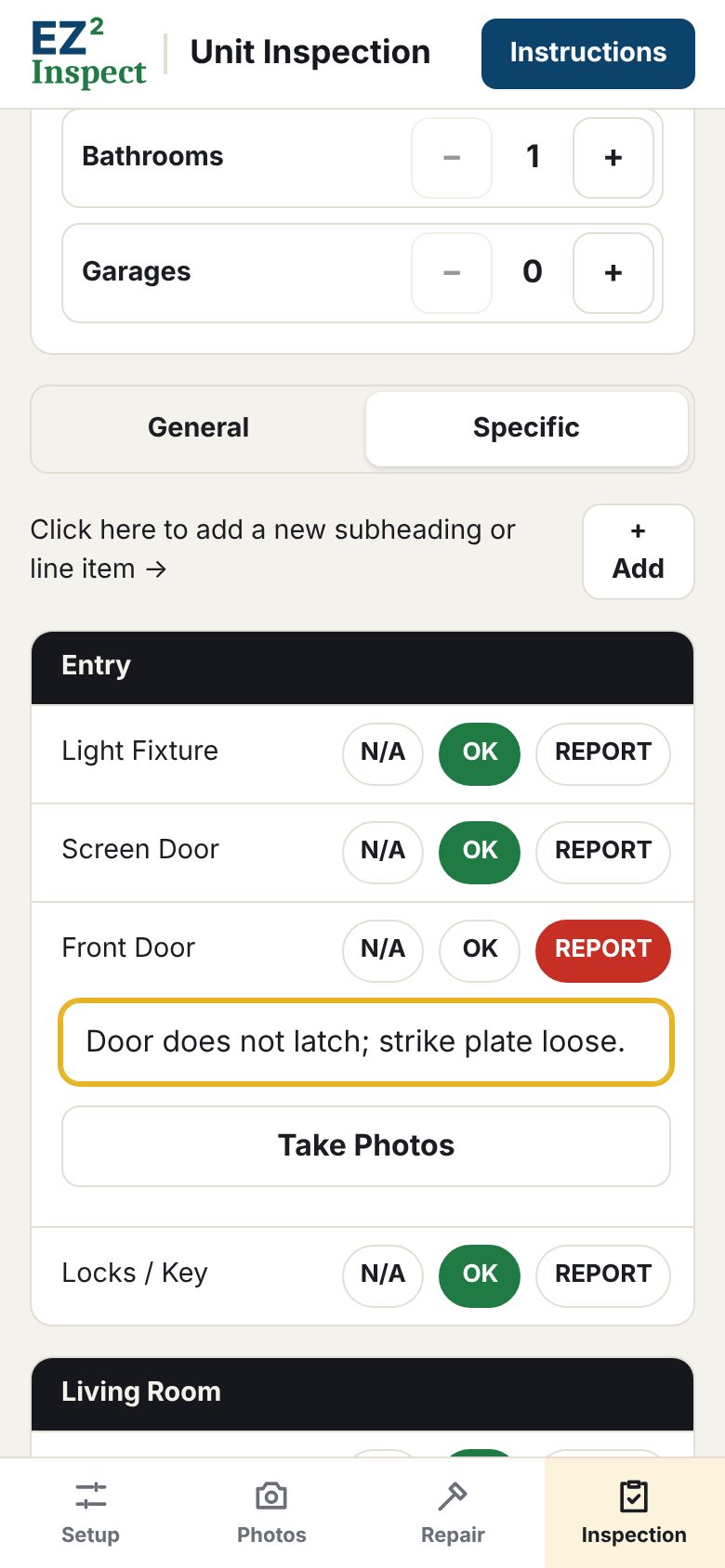
Set the bedrooms, bathrooms and garage, and the checklist builds itself: Entry, Living Room, Kitchen, each Bedroom and Bathroom, Patio / Yard, Garage and General.
- Everything starts as OK. You only tap what needs attention, add a note and take a photo.
- General mode for speed. Walk the unit taking photos and quick comments, then sort them into rooms later.
- Your own items. Add sections or line items once and they’re there for every inspection.
- Several units, one PDF. Save each unit and print them together.
Built for the field
Designed around real apartment turnover work.
Any phone, nothing to install
Open it in the browser and add it to your home screen. iPhone or Android, no app store.
Works without signal
Basements, new buildings, back units. Photos, stamps and reports all work offline.
Photos stay on your phone
Tenant names, addresses and photos are never uploaded to us. Print the report and you’re done.
Fast
The street and city carry over, every item defaults to OK, and the report is one tap.
One unit or five hundred
Every report carries the full street address and unit number, so multi-building communities stay straight.
Instructions on every screen
One tap shows exactly what each screen does. New staff are up and running the same day.
No In-App Ads!
We hate them as much as you do.
Simple pricing
Every feature in every plan. Try it free for 14 days, no credit card required.
Full featured app, no credit card required.
Cancel anytime.
Save $10.45 a year.
Prices in US dollars, plus applicable tax.